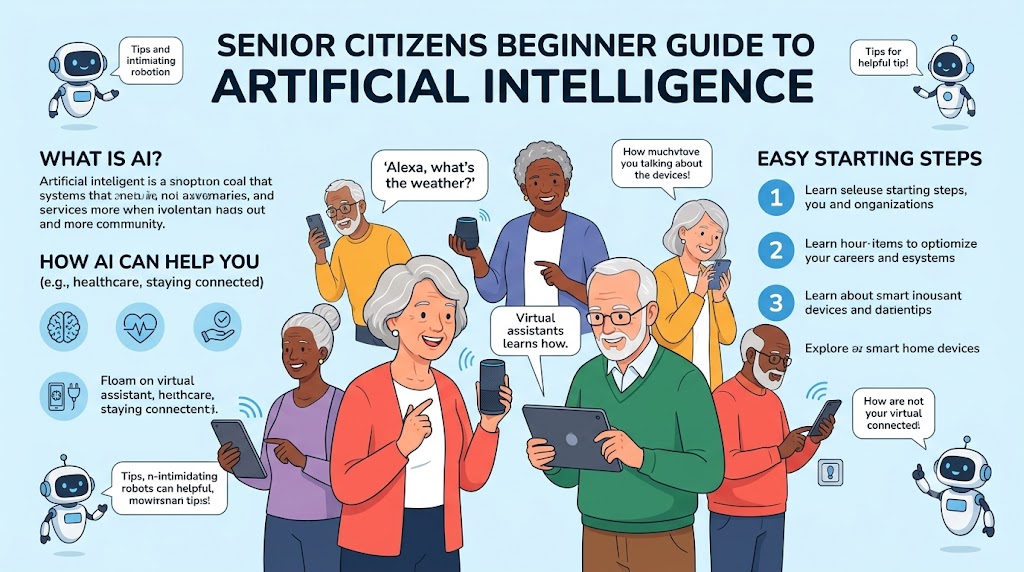
The Senior Citizen’s Beginner Guide to Artificial Intelligence (No Coding Required)
If you are looking for a clear, step-by-step introduction to modern technology without feeling overwhelmed, you have come to the right place. This senior citizen’s beginner guide to artificial intelligence will show you how to comfortably embrace AI in your daily life—absolutely no coding or technical background required.
Reaching retirement and entering your golden years is a well-deserved time to relax, explore new passions, and stay connected with loved ones. However, watching news headlines talk about artificial intelligence, algorithms, and automated tech can easily make anyone feel left behind or intimidated.
The truth is that modern AI was not designed just for computer programmers, tech giants, or young professionals. Today’s AI tools understand natural, plain human language, meaning if you can type a text message or write an email, you already possess every skill needed to use them.
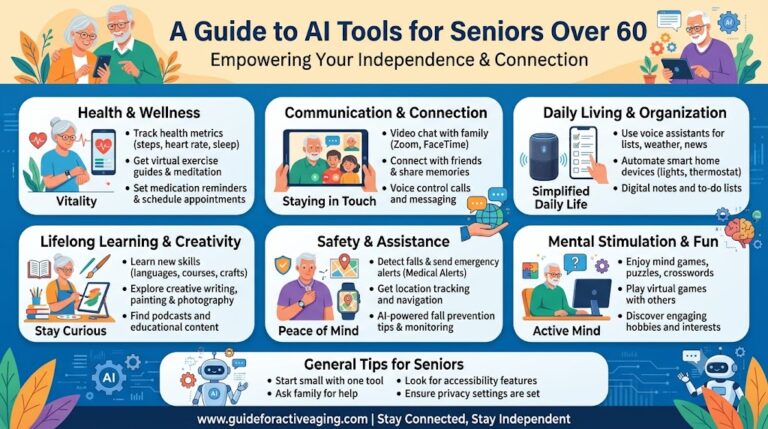
By following this senior citizen’s beginner guide to artificial intelligence, you will learn how smart, conversational software can become your most helpful daily companion—helping you organize travel, draft letters, learn new hobbies, and keep your mind agile.
[TL;DR] Quick Overview: AI Made Simple for Older Adults
- Zero Technical Knowledge Needed: Talk or type to AI tools using ordinary, everyday words—no computer programming required.
- Immediate Everyday Practicality: Get instant help with writing formal letters, planning recipes, summarizing books, or researching health topics.
- Stimulate Cognitive Health: Keep your memory sharp and mind active by engaging in curious, lifelong learning conversations with digital assistants.
1. What Is Artificial Intelligence in Plain English?
To understand AI, forget about sci-fi movies and complex computer screens. At its core, modern artificial intelligence is simply a digital assistant that reads, understands, and responds to human text and speech.
Unlike standard internet search engines that return millions of random web links for you to read through, conversational AI platforms like OpenAI ChatGPT or Claude synthesize information and provide direct, conversational answers.
For example, instead of searching through dozens of travel websites, you can ask AI: “Create a gentle 3-day walking itinerary for a weekend trip to Charleston, South Carolina, suitable for adults over 65.” Within seconds, it builds a personalized, easy-to-read schedule tailored exactly to your request.
According to a report on digital aging by AARP, adopting accessible technology helps older adults maintain independence, stay mentally stimulated, and navigate digital logistics with confidence.
2. How Senior Citizens Can Use AI Without Writing Any Code
Many retirees worry that using AI requires downloading complicated software or learning specialized commands. In reality, working with AI relies entirely on natural language prompts.
Here are three simple, practical ways you can start using AI today:
- 1. Personal Writing & Correspondence: Ask AI to help draft warm birthday messages for grandchildren, polish a formal letter to your homeowners association, or proofread your personal memoirs.
- 2. Household Organization & Meal Planning: Input what ingredients you have in your refrigerator and ask: “Suggest three healthy dinner options that take less than 20 minutes to prepare.”
- 3. Curious Lifelong Learning: Ask AI to explain complex history events, scientific discoveries, or art movements in simple, non-technical terms.
3. A 3-Step Starter Kit for Seniors Exploring AI for the First Time
Starting your digital journey with AI is completely free and risk-free. Follow these three simple steps:
- Step 1: Choose a Free, Web-Based Platform: Open your internet browser on your computer, iPad, or smartphone and navigate to a free AI assistant like ChatGPT or Microsoft Copilot.
- Step 2: Type as If You Are Talking to a Friend: Do not worry about exact wording or formatting. Type naturally, for example: “What are five low-impact hobbies I can start at home after age 60?”
- Step 3: Refine the Response: If the initial answer is too long, simply reply: “Can you summarize this into three bullet points?” The AI remembers the context and adjusts instantly.
Frequently Asked Questions (FAQ) — Optimized for Google Search and AI Overview
Q1. Do I need to know any computer coding or programming to use AI?
A1. No, absolutely not. Modern conversational AI tools are designed to work with plain human language. If you can type a question into a text box, you can use AI effortlessly.
Q2. Is it free for senior citizens to start using artificial intelligence?
A2. Yes. Most major AI platforms, including ChatGPT, Claude, and Copilot, offer robust free versions that provide more than enough functionality for everyday writing, research, and learning.
Q3. Will my personal information stay private when using AI tools?
A3. Reputable consumer AI platforms follow strict security protocols. As a simple safety practice, never share private details like bank account numbers, passwords, or social security numbers in your prompt messages.
Q4. Can using AI help prevent cognitive decline and keep my memory sharp?
A4. Yes. Interacting with AI encourages active thinking, curiosity, reading comprehension, and problem-solving. Engaging with digital assistants keeps neural connections active and promotes continuous lifelong learning.
Q5. What should I do if the AI gives an answer that seems incorrect or confusing?
A5. AI tools are helpful but not infallible. If an answer seems confusing or unclear, simply reply: “Explain this in simpler terms,” or cross-check critical information, such as medical advice, with official healthcare professionals.
Conclusion: Embrace Technology on Your Own Terms
Stepping into retirement gives you the gift of time to explore new ideas and simplify your life. As demonstrated in this senior citizen’s beginner guide to artificial intelligence, smart technology is here to serve you, not confuse you.
By spending just a few minutes experimenting with conversational AI, you will unlock a patient, helpful digital companion that makes everyday tasks easier and keeps your mind intellectually curious.
Related Articles Recommended for You
AI for Seniors: What Is AI? A 79-Year-Old Beginner’s Real Experience
AI Tools for Seniors over 60: Simplifying Tech for Daily Life and Solopreneurship